|
|
|
|
Synchronizing Disks or Directories
In the simplest case, in order to synchronize two disks or directories, press the 'Sync' button located in the top-left corner of the main toolbar, enter the source and destination directories and press the 'Sync' button. SyncBreeze will scan the specified source and destination directories and show a preview dialog with a list of files that should be synchronized. 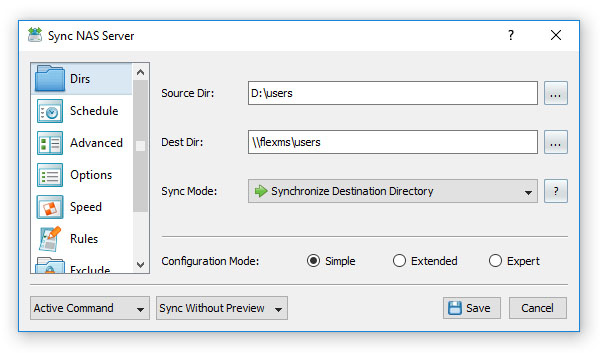
The synchronization preview dialog shows all files that should be synchronized and allows one to manually select/unselect specific file synchronization actions. In order to see more information about a file synchronization action, select the action item, press the right mouse button and select the 'Action Properties' menu item. Once finished selecting all the actions that should be executed, press the 'Sync' button located in the bottom-right corner of the preview dialog. 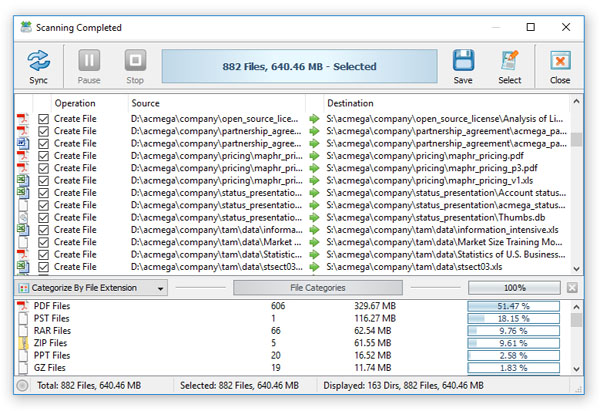
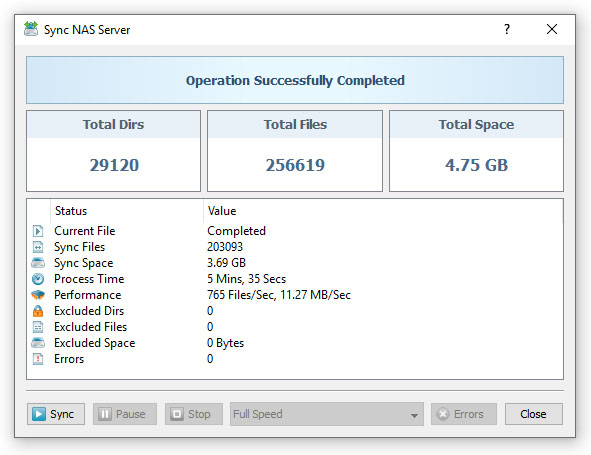
During the file synchronization process, SyncBreeze will display a synchronization process dialog showing the total number of synchronized files, the amount of synchronized storage space, the performance of the file synchronization process and the process time. Press the 'Pause' button to temporarily suspend the file synchronization operation. Press the 'Continue' button to resume a previously paused file synchronization operation. In order to cancel the currently running file synchronization operation, press the 'Stop' button. 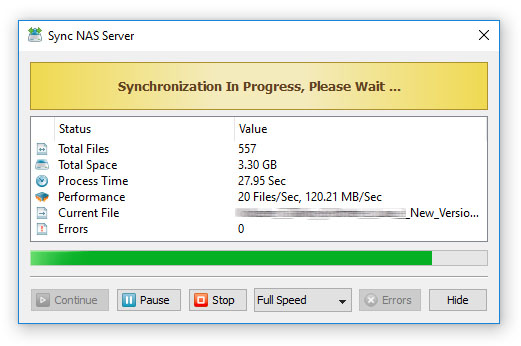
Once the file synchronization operation is finished, SyncBreeze will show a confirmation message informing about the status of the completed file synchronization operation. By default, SyncBreeze will try to perform as many file synchronization actions as possible without interrupting the operation on non-fatal errors. In the case that any errors will occur during the file synchronization operation, SyncBreeze will show an appropriate error message and enable the 'Errors' button allowing the user to access the error log.
|
SyncBreeze News
|