SyncBreeze Server and SyncBreeze Enterprise keep file synchronization statistics for X last sync operations for each file synchronization command.
In order to access the file synchronization history statistics, open the SyncBreeze Serve GUI application and press the 'Charts' button located on the main toolbar.
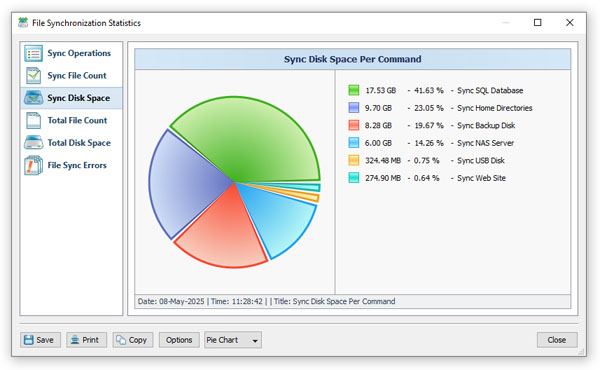
The file synchronization statistics dialog allows one to display pie charts showing the total number of sync operations per file synchronization command,
the total amount of disk space in the synchronized directories, the total number of files, the amount of synchronized disk space, the number of synchronized
files and the number of sync errors per file synchronization command.
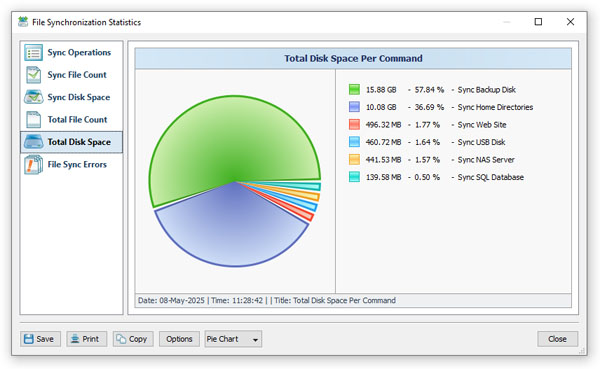
In addition, the user is provided with the ability to export file synchronization statistics reports into a number of standard formats including
PDF, XML, HTML, Excel CSV and plain text. In order to export a statistics report, which includes history statistics for all commands,
press the 'Save' button and select an appropriate report format.