SyncBreeze provides recoverable file synchronization capabilities allowing one to retry failed file copy operations.
In order to enable recoverable file synchronization operations, open the sync command dialog, select the 'Options'
tab and enable the 'Verify Files After Synchronization' option.
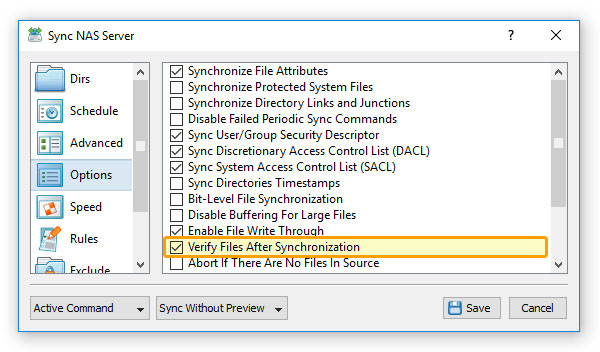
With this option enabled, SyncBreeze will calculate the SHA256 file signature for each source file, reread each destination
file after copy and compare the source and destination files signatures. Now, select the 'Advanced' tab, press the
performance 'Options' button and enter an appropriate number of file copy retries and a retry delay (in milliseconds).
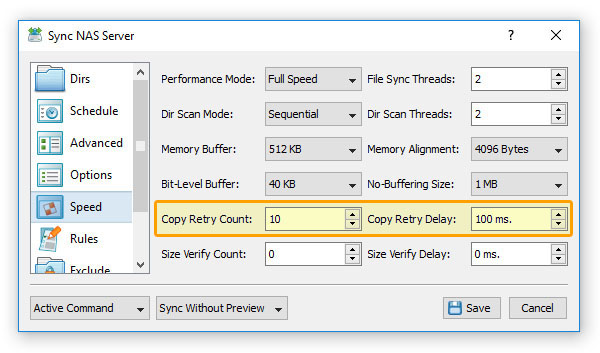
When a file copy operation will fail due to a disk I/O error, network error or the source and destination SHA256 file signatures
will not match, SyncBreeze will retry the file copy operation the specified number of times while adding the specified delay before each retry.